

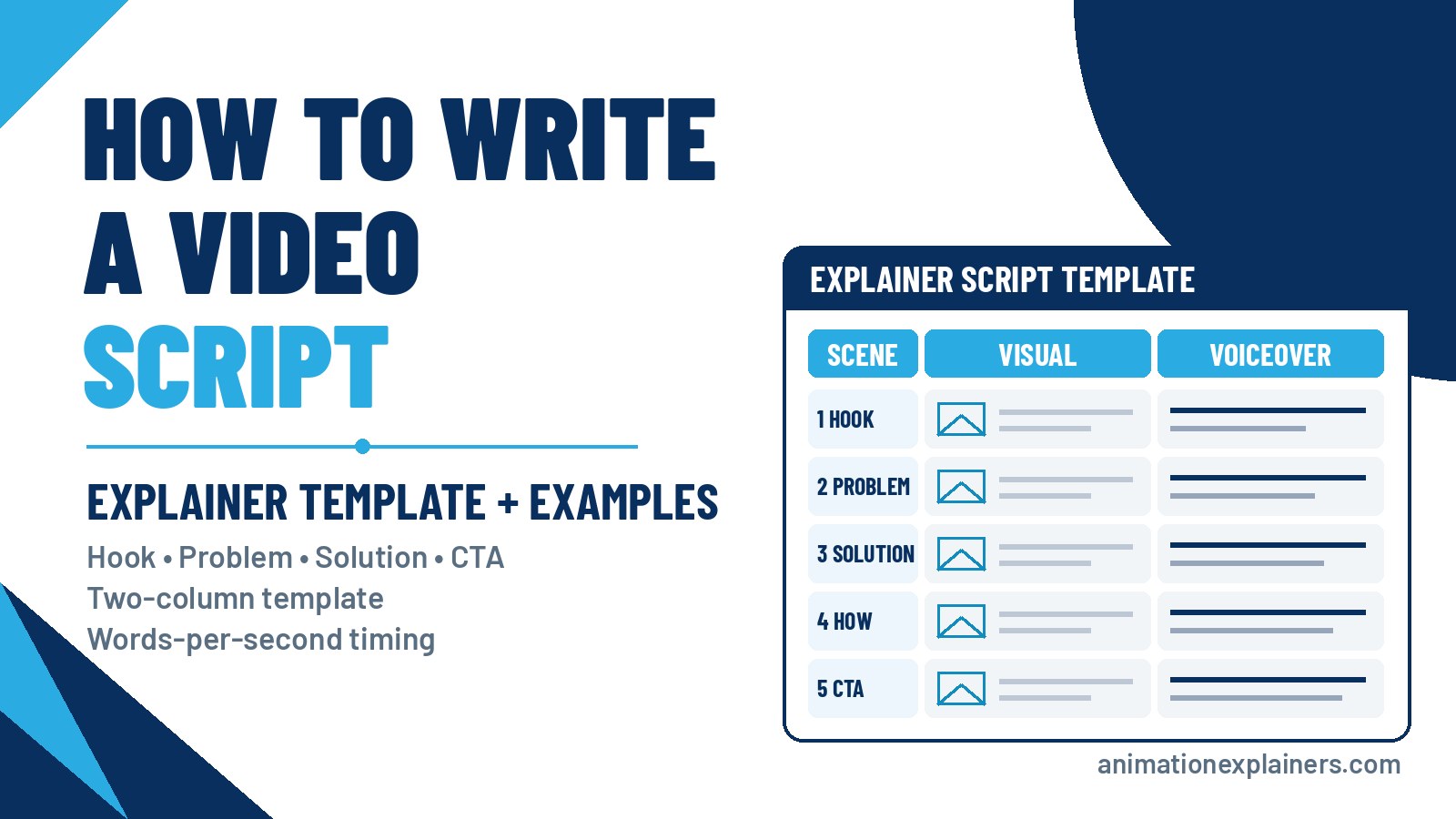
How to Write a Video Script (Explainer Template + Examples)
Most explainer videos that miss do so before anyone opens an animation file. The style can be lovely and the voiceover can be perfect, but if the script tries to say six things, the film says none of them.
This guide is how we write scripts for business explainers: the questions to answer first, a step-by-step process, a copyable two-column template, a filled 60-second sample script, a word-count table for timing, and the mistakes we cut in every first draft. New to the format? Start with what is an explainer video? or the wider explainer videos guide.
How to write a video script: the short answer
To write a video script, pick one viewer and one message, then structure it as hook, problem, solution and call to action. Write it for the ear in two columns, visuals on the left and voiceover on the right, and time it at about 150 words per minute before anyone animates a frame.
That’s the whole method. The rest of this page is how to do each part well, with a template and a worked example.
Before you write: five questions to answer
A script is only as clear as the brief behind it. Answer these in a sentence each, and the first draft almost writes itself.
| Question | What a good answer looks like |
| Who is watching? | One specific viewer, e.g. “an operations manager at a 200-person logistics firm”, not “everyone” |
| What problem do they have? | In their words, not yours. The thing they’d type into a search bar |
| What’s your answer? | Your product or service as the turning point, in plain language |
| What should they do next? | One action: book a demo, start a trial, read the pricing page |
| Where will it play? | Homepage, landing page, sales email, LinkedIn, a trade show screen. This decides length and whether it must work on mute |
If you can’t answer the last two, stop. A script with no clear next step or home becomes a nice film nobody acts on.
The one-sentence message
Before structure, write the single sentence you want the viewer to remember. For example: “Rotawise builds a fair staff rota in minutes, so managers stop losing Sunday nights to spreadsheets.” (Rotawise is a fictional product we’ll use throughout.)
Every scene has to serve that sentence. If a line doesn’t move the viewer towards it, it goes, however proud the product team is of the feature behind it. Get the message into the first 20 seconds of the film. Viewers who leave early should still leave with it.
How to write a video script in 7 steps
- Fill in the brief. Answer the five questions above and agree them with whoever signs off. Most rewrites trace back to a brief nobody agreed.
- Write the one-sentence message. Keep it under 25 words. If it needs “and” twice, you have two videos.
- Pick a structure. Problem-solution suits most explainers; the other options are below. Map it to rough timings before writing any lines.
- Draft the voiceover for the ear. Short sentences, contractions, “you” rather than “users”. One idea per sentence. Read it aloud as you go.
- Add the visuals column. For each line, say what the viewer sees. Show what the voiceover doesn’t need to say, and cut words the picture already covers.
- Time it. Count the voiceover words and check them against the table below. Then read it aloud with a stopwatch.
- Table read and sign-off. Read it to someone who doesn’t know the product. If they can’t repeat your one-sentence message back, revise before anything moves to storyboard.
Pick a structure that fits the story
Three structures cover almost every business explainer we write. They’re not formulas to fill in blindly, but each has a clear job.
Problem-solution (the default)
Hook, problem, solution, how it works, call to action. It suits a cold or mixed audience and any product with a pain the viewer already feels. This is the shape of most homepage and landing-page explainers.
“Meet Bob”: a character story
Introduce one character the viewer recognises, show their bad day, then show the same day with your product. It works when the product changes a routine, such as rota planning, expense claims or patient intake. Keep the character’s name and job specific, and don’t let the story outrun the message.
Cut to the chase
Open with the product and what it does in one line, then spend the rest of the film on how and why. It suits warm viewers who already know they have the problem: product pages, sales follow-ups and existing customers hearing about a new feature.
What, how, why: a three-act shape for any of them
Whatever the structure, the film moves in three acts. What it is and who it’s for, how it works (three steps at most) and why they should act now. If you’re writing a sales letter rather than an explainer, the order and persuasion change, so see our video sales letters guide.
Write for the ear, not the eye
Your viewer hears the script once, at the narrator’s pace, with no way to re-read a sentence. That changes how you write.
- Short sentences. One idea each. If you need a breath in the middle, split it.
- Contractions. “You’ll” and “it’s”, not “you will” and “it is”. Formal grammar sounds stiff when spoken.
- Talk to one person. “You”, never “users”, “customers” or “everyone”.
- Concrete over abstract. “Your rota in five minutes” beats “streamlined workforce optimisation”.
- Cut the jargon unless your audience lives in it, and even then, define it once.
- Humour, used wisely. A light touch can make a dry subject memorable. A joke that needs explaining wastes seconds you don’t have.
Then do the test everyone skips: read it aloud. If you trip over a line, the voiceover artist will too.
The two-column explainer video script template
Professional explainer scripts use two columns: what the viewer sees and what they hear. Add a scene number and a running time, and you have a template the storyboard artist and the voiceover artist can both work from.
| Scene | Time | Visual (what we see) | Voiceover (what we hear) |
| 1. Hook | 0:00–0:08 | The viewer’s problem, shown in one striking image | One line that names the problem in the viewer’s words |
| 2. Problem | 0:08–0:20 | What the problem costs them: time, money, stress | Two or three short lines. Make it felt, briefly |
| 3. Solution | 0:20–0:30 | Your product enters as the turning point | Name the product and the one thing it does |
| 4. How it works | 0:30–0:48 | Three steps at most, shown rather than listed | One line per step |
| 5. Proof or benefit | 0:48–0:54 | The outcome: the happy version of scene 1 | The result, as specifically as you can honestly say it |
| 6. Call to action | 0:54–1:00 | Logo, URL and the action on screen | One clear next step, spoken and shown |
Copy it into a document or spreadsheet and keep the columns side by side. The visual column doesn’t need to be artistic. “Manager at a laptop, spreadsheet everywhere, clock says 11 pm” is plenty for a storyboard artist to work from.
Sample video script: a 60-second explainer
Here’s the template filled in for Rotawise, a fictional rota app. The voiceover runs to about 90 words. That’s well under the 150-word ceiling for 60 seconds, and it’s deliberate: the visuals carry much of the story, and the pauses give them room to land.
| Scene | Time | Visual | Voiceover |
| 1 | 0:00–0:08 | Sunday night. A café manager, Maya, stares at a spreadsheet full of red cells | It’s Sunday night, and Maya’s still building next week’s rota. |
| 2 | 0:08–0:20 | Phone buzzing with swap requests; a sticky note reads “Who’s on Friday??” | Holiday requests in one inbox. Shift swaps in another. And someone always ends up working three closes in a row. |
| 3 | 0:20–0:30 | The spreadsheet folds away; the Rotawise app opens on her phone | Meet Rotawise. It builds a fair rota for you, in minutes. |
| 4 | 0:30–0:48 | Three quick beats: staff tap availability; the rota fills itself; a swap is approved with one tap | Your team adds their availability. Rotawise builds the rota around it, fairly. And when someone needs a swap, they ask in the app, and you approve it with a tap. |
| 5 | 0:48–0:54 | Maya closes her laptop at 7 pm and joins friends | No spreadsheets. No Sunday nights. Just a rota everyone can live with. |
| 6 | 0:54–1:00 | Logo, “Start your free trial at rotawise.example” | Try Rotawise free today. |
Notice what isn’t there: no feature list, no company history, no “in today’s fast-paced world”. One viewer, one problem, one product, one action. The visuals carry the detail (the red cells, the sticky note, the 7 pm clock), so the voiceover doesn’t have to.
How many words fit? Time your script before anyone animates
Runtime is decided in the script, not the edit. The National Center for Voice and Speech puts the average rate of speech for US English speakers at about 150 words per minute. That’s about 2.5 words per second. Explainer voiceovers usually run a touch slower so visuals can land, so treat 150 as a ceiling.
| Target runtime | Voiceover words (at ~150 wpm) | Words per second | What fits |
| 15 seconds | about 35 | ~2.5 | One line of problem, one of promise, the logo |
| 30 seconds | about 75 | ~2.5 | One problem, one promise, one CTA |
| 60 seconds | about 150 | ~2.5 | Problem, solution, how it works, CTA |
| 90 seconds | about 225 | ~2.5 | All of the above plus one proof point or differentiator |
| 2 minutes | about 300 | ~2.5 | A fuller story for a warm or technical audience |
Count the voiceover column only, not the scene directions. If the count runs over, cut whole ideas rather than squeezing words; a rushed voiceover is harder to follow than a shorter story. For choosing the runtime itself, see how long an explainer video should be. For ads and social, our guide to 30-second videos covers the tighter word budget.
Show, don’t tell: let the visuals carry half the script
Animation lets you show things a narrator would take ten seconds to describe. Use it.
- If the picture says it, cut the line. “Maya is frustrated” is redundant over a shot of Maya with her head in her hands.
- Use on-screen text sparingly. A number or a product name, not a sentence. Viewers can’t read and listen at the same time.
- Plan for mute. On social feeds, many people watch with the sound off. Write so the visuals and captions still tell the story.
- Hand the storyboard artist a clear visual column. That’s where the script becomes frames. See how we approach the animation storyboard.
Explainer script examples from our own work
These are films we’ve written and produced. Watch them with the two-column template in mind: notice how little the voiceover says when the picture is doing the work.
Celigo (0:25): one idea, no detours. A single software feature, data mapping, explained in under 30 seconds. The script names one problem and one fix, and lets the visuals show the mapping.
Siren (3:00): a longer story for a specialist audience. An investigative intelligence platform whose use cases include counterterrorism, fraud investigation and cyber threat hunting. A longer script works here because the audience wants the detail, and each section still carries one idea.
How a script becomes a film. Our process video walks through what happens after the script is signed off: storyboard, style, voiceover and animation.
More in our portfolio.
Script mistakes we cut from every first draft
- The writer's trap. The script explains the product the way the team talks about it internally, with acronyms, roadmap language and feature names the buyer has never heard.
- The feature list. Five features in a row, none of them shown working. Pick the one that solves the problem in scene 1.
- The slow open. A logo, a slogan or “Introducing…” in the first ten seconds. Open on the viewer’s problem instead.
- Two calls to action. “Book a demo, or follow us, or download the guide.” Pick one.
- Unprovable claims. “Saves 80% of your time” needs a source you can show. If you can’t, describe the outcome instead.
- Writing for the eye. Long sentences with sub-clauses that read fine and sound breathless.
- Too many words. Check the table above. Over-budget scripts get rushed voiceovers.
From script to storyboard and voiceover
A locked script is the start of production, not the end. At Animation Explainers, you sign off the script before anything else moves. Then the visual column becomes a storyboard and style frames, and the voiceover column goes to a voice artist cast for your audience. We cover that stage in our posts on explainer video voiceover and our animation process.
That’s also why changes are cheapest at script stage. Moving a line in a document costs minutes; moving it once it’s animated means new frames, new timing and often a new voice session.
What does a professionally written script cost?
In a studio project, the script isn’t a separate line item. It’s the first stage of the production. When you commission explainer video production from us, scriptwriting, storyboard, voiceover and animation come as one project, and you sign off each stage before the next starts.
Studio projects at Animation Explainers typically sit in the $6,000 to $35,000 and beyond band. Style, length, custom assets, languages and deliverables move a quote more than the script does. For the full breakdown, see how much an explainer video costs.
If you’ve already written a script, send it. We’ll tell you honestly whether it’s ready or what we’d change.
Soft next steps
Have a draft, a rough outline or just a one-sentence message? Send us your brief. Browse our portfolio for scripts that became films, or contact us and book a meeting from that page. We’ll read what you have and tell you what we’d keep, cut and show instead.
FAQ
How do you write a video script?
Start with one viewer, one message and one call to action. Structure the script as hook, problem, solution and CTA, write it for the ear in short spoken sentences, and lay it out in two columns: visuals on the left and voiceover on the right. Then time it at about 150 words per minute and read it aloud before sign-off.
What is the best format for an explainer video script?
The two-column format: scene number and time, then what the viewer sees, then what they hear. It keeps the voiceover and visuals in step, gives the storyboard artist and voice artist one shared document, and makes it obvious when a line repeats what the picture already shows.
How many words is a 60-second video script?
About 150 words at most. The average US English speech rate is about 150 words per minute, or roughly 2.5 words per second. Explainer voiceovers usually run slightly slower so visuals can land, so plan about 75 words for 30 seconds, 225 for 90 seconds and 300 for two minutes.
What should an explainer video script include?
A hook that names the viewer’s problem, a short look at what that problem costs, your product as the solution, up to three steps showing how it works, one benefit or proof point, and one call to action. Anything that doesn’t serve the one-sentence message comes out.
What is the difference between a video script and a storyboard?
The script is the words and the scene directions: what’s said and, in outline, what’s shown. The storyboard turns the visual column into drawn frames so you can see composition and pacing before animation. Lock the script first; changes are cheapest there. See our guide to the animation storyboard.
How do I make a video script sound natural?
Write the way you’d explain it to a colleague. Use contractions, short sentences and “you”, and cut jargon the viewer wouldn’t use. Then read it aloud. Anywhere you stumble, run out of breath or sound like a press release, rewrite the line.
Can I use a video script template for any kind of video?
Mostly, yes. The two-column template works for explainers, product videos, social cut-downs and training films. The structure changes by job: a sales letter persuades over a longer arc, and training covers one task per video. See our video sales letters guide for that format.
Do you write the script, or do I need to supply one?
Either works. In a studio project at Animation Explainers, scriptwriting is part of the production: we write it from your brief and you sign it off before storyboarding. If you already have a script, send it and we’ll review it for length, clarity and what the visuals can show instead.

How do you write a video script?
Start with one viewer, one message and one call to action. Structure the script as hook, problem, solution and CTA, write it for the ear in short spoken sentences, and lay it out in two columns: visuals on the left and voiceover on the right. Then time it at about 150 words per minute and read it aloud before sign-off.
What is the best format for an explainer video script?
The two-column format: scene number and time, then what the viewer sees, then what they hear. It keeps the voiceover and visuals in step, gives the storyboard artist and voice artist one shared document, and makes it obvious when a line repeats what the picture already shows.
How many words is a 60-second video script?
About 150 words at most. The average US English speech rate is about 150 words per minute, or roughly 2.5 words per second. Explainer voiceovers usually run slightly slower so visuals can land, so plan about 75 words for 30 seconds, 225 for 90 seconds and 300 for two minutes.
What should an explainer video script include?
A hook that names the viewer’s problem, a short look at what that problem costs, your product as the solution, up to three steps showing how it works, one benefit or proof point, and one call to action. Anything that doesn’t serve the one-sentence message comes out.
What is the difference between a video script and a storyboard?
The script is the words and the scene directions: what’s said and, in outline, what’s shown. The storyboard turns the visual column into drawn frames so you can see composition and pacing before animation. Lock the script first; changes are cheapest there. See our guide to the animation storyboard.
How do I make a video script sound natural?
Write the way you’d explain it to a colleague. Use contractions, short sentences and “you”, and cut jargon the viewer wouldn’t use. Then read it aloud. Anywhere you stumble, run out of breath or sound like a press release, rewrite the line.
Can I use a video script template for any kind of video?
Mostly, yes. The two-column template works for explainers, product videos, social cut-downs and training films. The structure changes by job: a sales letter persuades over a longer arc, and training covers one task per video. See our video sales letters guide for that format.
Do you write the script, or do I need to supply one?
Either works. In a studio project at Animation Explainers, scriptwriting is part of the production: we write it from your brief and you sign it off before storyboarding. If you already have a script, send it and we’ll review it for length, clarity and what the visuals can show instead.