

How Long Should an Explainer Video Be? (60-90s Rule)
“How long should it be?” is usually the second question on a discovery call, right after “what will it cost?” The two are connected, and both are easier to answer once you know what the video has to do and where it will play.
This guide gives the short answer, the data behind it, a length-by-use-case table, the word counts that decide runtime before anyone animates a frame, and the runtimes of real films from our own portfolio. For the basics, start with what is an explainer video? or the wider explainer videos guide.
The short answer: 60 to 90 seconds
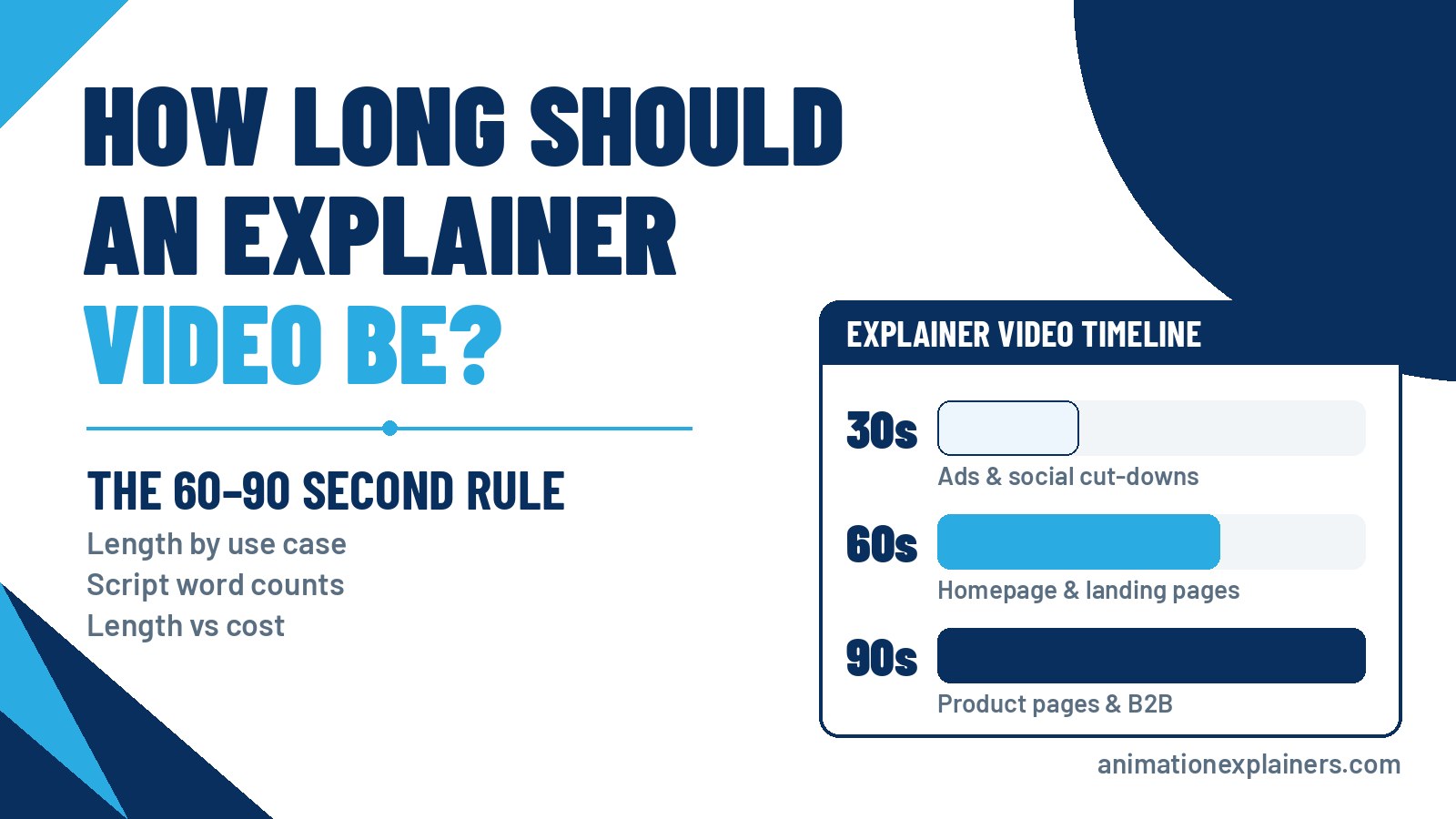
Most marketing explainer videos should be 60 to 90 seconds long: enough time to name the problem, show the solution and land one call to action, and short enough that most viewers reach the end. Go shorter for ads and social cut-downs. Go longer only when the viewer has already chosen to learn, as in onboarding, training or a technical deep dive.
That’s the 60–90s rule. It’s a default, not a law. The rest of this page is about when to break it.
What the data actually says about length
There’s a lot of recycled “viewers leave after X seconds” content online. Here is what holds up, with sources.
- Engagement holds steady up to about two minutes. Wistia’s 2016 study of 564,710 videos and more than 1.3 billion plays found engagement was roughly flat up to the two-minute mark, then dropped significantly between two and three minutes. In practice, a 90-second video holds attention about as well as a 30-second one.
- Viewers drift around the halfway point. Wistia’s current length guidance, built on its 2026 State of Video data (more than 13 million videos), puts videos under a minute at a 52% average engagement rate and names 1–5 minutes as the range for videos that educate or explain. Its advice: most viewers drop off around halfway, so put the most important information in the first half.
One caveat: engagement is not conversion. A 45-second film that everyone finishes but nobody acts on has failed. A 2-minute film that the right buyer watches to the end, and then books a call, has done its job. Length serves the message and the next step, never the other way round.
Explainer video length by use case
Pick the length from where the video will live and what the viewer should do next. These are the ranges we recommend:
| Where it plays | Recommended length | Why |
| Homepage hero | 60–90 seconds | A first-time visitor needs the “what is this and why should I care?” story, start to finish |
| Paid landing page | 45–90 seconds | Same idea, tighter. Match the ad’s promise and repeat one CTA |
| Product or feature page | 60–120 seconds | Intent is higher, so there’s room for how it works plus one proof point. See product explainer videos |
| Sales email or proposal | 45–90 seconds | Sent before the call so the meeting starts further along |
| LinkedIn and other social feeds | 15–60 seconds | A cut-down of the master, designed to work on mute with captions |
| YouTube ads | 6 seconds (bumper) to under 3 minutes (skippable) | Google caps bumper ads at 6 seconds and recommends keeping skippable in-stream ads under 3 minutes (YouTube ad formats) |
| Trade show or booth loop | 30–60 seconds, silent | People walk past, so it has to read like a poster and restart often |
| Onboarding and help centre | 1–3 minutes per task | The viewer has chosen to learn. One task per video |
| Training and internal comms | Varies by topic | A different brief. See how long a training video should be |
Notice the pattern: the colder the viewer, the shorter the cut. The warmer the viewer, the more detail they’ll sit through, as long as every scene earns its place.
60 vs 90 seconds: which do you need?
Most briefs land on one of these two. The difference is how much your viewer needs to believe before they act.
The 60-second explainer video
Sixty seconds fits problem, solution, a quick “how it works” and one call to action. It suits a single clear benefit, a cold or mixed audience, and placements where people are still deciding whether to care: homepages, paid landings and outbound emails. If your product can be explained in one sentence, a 60-second film is usually enough.
The 90-second explainer video
Ninety seconds buys room for one more thing: a second step in the workflow, a differentiator, or a proof point such as an integration, a certification or a named outcome. It suits B2B products with a buying committee, technical or regulated categories (software, cybersecurity, medtech, fintech), and product pages where intent is higher. Many SaaS explainer videos sit here.
Shorter than 60 seconds
Under a minute works for teasers, ads and social cut-downs, or for a very simple offer. Treat it as a ruthless edit of a clear story, not a second strategy. Short formats have their own rules, which we cover in our guide to 30-second videos.
Longer than two minutes
Past the two-minute mark the data shows a real drop, so only go long when the viewer has opted in: onboarding, training, investor or partner briefings, or a series where each episode explains one module. A whiteboard lesson or a technical walkthrough can run three minutes and still hold attention, because the audience came to learn. A homepage video that runs three minutes because nobody could agree what to cut is a different story.
Size the video from the script (about 150 words a minute)
Runtime is decided in the script, not in the edit. The National Center for Voice and Speech puts the average rate of speech for US English speakers at about 150 words per minute. An explainer voiceover usually runs a little slower than conversation so the visuals have time to land, so treat 150 as a ceiling, not a target.
| Target runtime | Voiceover word budget (at ~150 wpm) | What fits |
| 30 seconds | about 75 words | One problem, one promise, one CTA |
| 60 seconds | about 150 words | Problem, solution, how it works, CTA |
| 90 seconds | about 225 words | All of the above plus one differentiator or proof point |
| 2 minutes | about 300 words | A fuller story for a warm or technical audience |
To check a draft before you approve it:
- Count the voiceover words only (not the scene directions).
- Divide by 150 to get the rough runtime in minutes.
- Read it aloud at a natural pace with a stopwatch running.
- Add a second or two for the logo, any on-screen pauses and the end card.
- If it runs long, cut whole ideas, not adjectives. Trimming words makes the voiceover rush; trimming ideas makes the story clearer.
Writing from scratch? Our guide to writing an explainer video script that converts walks through the structure.
A 60–90 second structure that holds attention
Wistia’s advice to front-load matters most here. A viewer who leaves at the halfway mark should still know what you do. A simple running order:
- Hook (first 5–10 seconds): name the viewer’s problem in their own words.
- Problem: show what it costs them today, briefly.
- Solution: introduce your product or service as the turning point.
- How it works: three steps at most, shown rather than listed.
- Proof or differentiator: one reason to believe you (90-second versions).
- Call to action: one clear next step, spoken and shown on screen.
If you can’t fit your story into those beats, the brief needs a sharper single idea, not a longer runtime.
What length looks like in our own work
Here’s an honest view of our own portfolio. These are published runtimes of films we’ve made, and several run past 90 seconds on purpose because the job was different.
| Film | Runtime | Job it does |
| Celigo | 0:25 | A single software feature (data mapping), one point |
| XMA Surface Pro (video 1) | 0:35 | One episode in a hardware series: one product, one point |
| Vertech and Taxelco | 0:46 each | Short industrial-automation and transportation explainers |
| Arkose Labs | 1:20 | A computer and network security explainer in the classic range |
| Technologent | 1:43 | An IT and software explainer |
| MD3 | 1:45 | A dental-device story that ends on the product itself |
| Intel 471 (video 7) | 2:23 | One episode in a seven-part threat-intelligence series |
| Siren and ISA | 3:00 each | Longer, cinematic films for technical security and intelligence audiences |
XMA Surface Pro (0:35): short works when a series carries the story. We made a series of films for XMA, one product per film, so each episode can stay short.
MD3 (1:45): a medical device needs a little longer. The film builds from a clinic scenario to the device itself. A clinical audience needs that context before the product makes sense.
Siren (3:00): long-form for a specialist audience. An investigative intelligence platform whose use cases include counterterrorism, fraud investigation and cyber threat hunting. It’s closer to a brand film than a homepage spot, and the runtime suits a technical audience that wants the detail.
More in our portfolio.
Signs your explainer is too long
- The script covers more than one idea or more than one call to action.
- Every stakeholder’s favourite feature made it in.
- The first ten seconds are a logo, a slogan or “In today’s fast-paced world…”.
- The proof section lists features instead of showing one outcome.
- The word count is well over the budget in the table above.
The fix is almost always the same: decide the one thing the viewer must remember, cut everything that doesn’t serve it, and move the extra features into a separate film or a product demo. One master plus a few cut-downs usually beats one long video trying to do everything.
Does length change the cost?
Yes, but not in a straight line. Longer scripts mean more storyboard frames, more animation seconds, more voiceover and more to review. A lot of the work is fixed, though: discovery, scripting, style frames, voiceover casting and project management cost much the same whatever the runtime. A 30-second film is not half the price of a 60-second one, and a 90-second film is not 50% more.
Studio projects at Animation Explainers typically sit in the $6,000 to $35,000 and beyond band. Style, custom assets, revisions, languages and deliverables move a quote more than the stopwatch does. For the full breakdown, read how much an explainer video costs.
Soft next steps
Not sure whether your story is a 60 or a 90? Send us the script or a rough outline. Browse our portfolio, skim the cost guide, or contact us and book a meeting from that page. We’ll tell you honestly how long it should run, and what to cut.
FAQ
How long should an explainer video be?
Most marketing explainer videos work best at 60 to 90 seconds. That’s enough for problem, solution and one call to action, and short enough that most viewers finish. Use 15–60 second cut-downs for ads and social feeds, and go past two minutes only for onboarding, training or technical deep dives.
Is a 2-minute explainer video too long?
Not automatically. Wistia’s research found engagement holds fairly steady up to about two minutes and drops more sharply between two and three. A 2-minute film can work for a warm or technical audience. For a homepage or a cold audience, aim for 60–90 seconds and move the extra detail into a separate video.
How many words is a 60-second explainer video script?
About 150 words at most. The average US English speech rate is about 150 words per minute, and explainer voiceovers usually run a little slower so the visuals can land. Plan about 75 words for 30 seconds, 225 for 90 seconds and 300 for two minutes.
Should I make a 60-second or a 90-second explainer video?
Choose 60 seconds for a single clear benefit, a cold audience and placements like homepages, paid landings and outbound emails. Choose 90 seconds when the buyer needs one more thing to believe you, such as a second workflow step, a differentiator or a proof point. B2B, technical and regulated products often need the extra 30 seconds.
Does a shorter explainer video cost less?
A little, but not proportionally. Discovery, scripting, style frames, voiceover casting and project management are largely fixed, so a 30-second film is not half the price of a 60-second one. Studio projects at Animation Explainers typically fall between $6,000 and $35,000 and beyond, and style and complexity move the price more than runtime. See our explainer video cost guide.
How long should a video be for social media?
Usually 15–60 seconds, cut down from the main explainer and designed to work on mute with captions. On YouTube, Google limits bumper ads to 6 seconds and recommends keeping skippable in-stream ads under 3 minutes. Make one strong master, then plan the cut-downs at the script stage.
How long should a whiteboard explainer video be?
The same rule applies: 60–90 seconds for a marketing piece. Whiteboard is often chosen for teaching, so educational and internal whiteboard films can run longer, as long as each one covers a single topic. See whiteboard animation videos.
How long should a product demo or training video be?
Longer than a marketing explainer, because the viewer has chosen to learn. Product demos and onboarding videos often run one to three minutes per task. Training length depends on the topic, so keep one topic per video. Our guide on how long a training video should be goes deeper.

How long should an explainer video be?
Most marketing explainer videos work best at 60 to 90 seconds. That’s enough for problem, solution and one call to action, and short enough that most viewers finish. Use 15–60 second cut-downs for ads and social feeds, and go past two minutes only for onboarding, training or technical deep dives.
Is a 2-minute explainer video too long?
Not automatically. Wistia’s research found engagement holds fairly steady up to about two minutes and drops more sharply between two and three. A 2-minute film can work for a warm or technical audience. For a homepage or a cold audience, aim for 60–90 seconds and move the extra detail into a separate video.
How many words is a 60-second explainer video script?
About 150 words at most. The average US English speech rate is about 150 words per minute, and explainer voiceovers usually run a little slower so the visuals can land. Plan about 75 words for 30 seconds, 225 for 90 seconds and 300 for two minutes.
Should I make a 60-second or a 90-second explainer video?
Choose 60 seconds for a single clear benefit, a cold audience and placements like homepages, paid landings and outbound emails. Choose 90 seconds when the buyer needs one more thing to believe you, such as a second workflow step, a differentiator or a proof point. B2B, technical and regulated products often need the extra 30 seconds.
Does a shorter explainer video cost less?
A little, but not proportionally. Discovery, scripting, style frames, voiceover casting and project management are largely fixed, so a 30-second film is not half the price of a 60-second one. Studio projects at Animation Explainers typically fall between $6,000 and $35,000 and beyond, and style and complexity move the price more than runtime. See our explainer video cost guide.
How long should a video be for social media?
Usually 15–60 seconds, cut down from the main explainer and designed to work on mute with captions. On YouTube, Google limits bumper ads to 6 seconds and recommends keeping skippable in-stream ads under 3 minutes. Make one strong master, then plan the cut-downs at the script stage.
How long should a whiteboard explainer video be?
The same rule applies: 60–90 seconds for a marketing piece. Whiteboard is often chosen for teaching, so educational and internal whiteboard films can run longer, as long as each one covers a single topic. See whiteboard animation videos.
How long should a product demo or training video be?
Longer than a marketing explainer, because the viewer has chosen to learn. Product demos and onboarding videos often run one to three minutes per task. Training length depends on the topic, so keep one topic per video. Our guide on how long a training video should be goes deeper.